
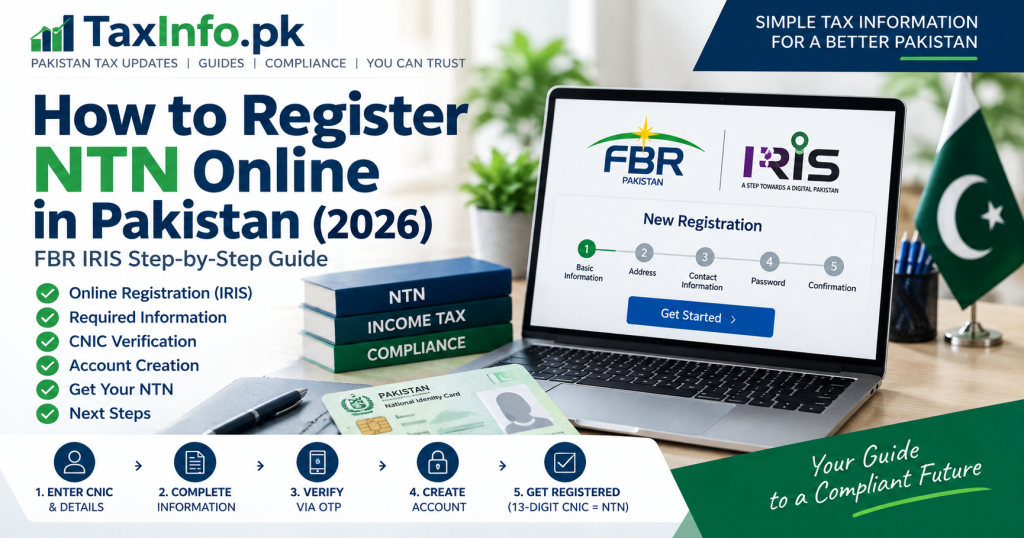
If you are registering with the Federal Board of Revenue (FBR) for the first time, one of the first terms you will come across is NTN – National Tax Number.
For individuals in Pakistan, the process is now largely online through the FBR IRIS portal. Once an individual is successfully e-enrolled with FBR, their 13-digit CNIC is used as their NTN or Registration Number.
This guide explains how an individual can register with FBR, what information and documents may be required, and what to do after registration.
What Is an NTN in Pakistan?
NTN stands for National Tax Number.
It is associated with your registration with FBR for income tax purposes.
A common misconception is that every individual receives a completely separate NTN number after registration.
For individuals, FBR states that the 13-digit CNIC is used as the NTN or Registration Number after e-enrollment.
For an AOP or Company, the NTN/Registration Number is the 7-digit NTN received after e-enrollment.
| Taxpayer Type | NTN / Registration Number |
|---|---|
| Individual | 13-digit CNIC |
| AOP | 7-digit NTN |
| Company | 7-digit NTN |
Who Can Register NTN Online Through IRIS?
FBR’s current guidance states that online income tax registration is available for individuals through IRIS.
For AOPs and companies, FBR’s published registration guidance directs the relevant person/principal officer to the Facilitation Counter of a Tax House for registration.
This guide therefore focuses primarily on online registration of an individual.
Requirements for NTN Registration Online
Before starting your registration, keep the necessary information available.
FBR lists information such as:
- CNIC, NICOP or passport number
- Cell phone number
- Active email address
- Nationality
- Residential address
- Accounting period
- Business information, where applicable
- Employer details in case of salary income
- Property details in case of property income
For online registration, FBR also specifies a mobile SIM registered against your own CNIC, a personal email address and relevant documentation such as a personal bank-account maintenance certificate. Business taxpayers may additionally need evidence relating to their business premises and a recent utility bill.
Step 1: Open the Official FBR IRIS Portal
Start by visiting the official:
On the IRIS login screen, select New Registration.
Make sure you are using the official FBR/IRIS website rather than entering your CNIC or personal information on an unknown third-party website.
The current IRIS portal provides New Registration directly from its login screen.
Step 2: Enter Your Basic Information
The current IRIS 2.0 New Registration process begins with Basic Information.
The registration screen asks for information including your:
- CNIC
- CNIC validity/expiry information
- Full name
The exact fields displayed can change as FBR updates IRIS, so follow the instructions shown on the current registration screen.
Enter your information carefully and make sure it matches your official identity records.
Step 3: Enter Your Address
The next stage of the current IRIS registration workflow deals with your Address.
Provide your correct residential information as requested.
If you have business income, additional business-related information may also be relevant to your registration.
FBR’s registration requirements include business name, business address and principal business activity where applicable.
Step 4: Provide Your Contact Information
Next, complete the Contact Information stage.
Your mobile number and email address are particularly important because FBR uses contact information during verification and account recovery.
FBR’s Registration 2.0 documentation explains that OTP verification can involve a 6-digit One-Time Password sent to the registered email and mobile number.
Therefore, use contact information that you can actually access.
Step 5: Complete OTP and Identity Verification
During the registration process, follow the verification instructions displayed by IRIS.
FBR’s Registration 2.0 user manual documents two-factor authentication (2FA) through OTP verification and subsequent verification of data from NADRA.
Enter verification codes only on the official IRIS system.
What If the OTP Does Not Arrive?
First check:
- Whether the mobile number was entered correctly
- Whether the email address is correct
- Your email spam/junk folder
- Mobile network availability
The current registration documentation also provides an option to resend/request another OTP when verification fails.
Step 6: Create Your IRIS Password
The registration process includes creation of your IRIS password.
Follow the password requirements displayed on screen and choose a password that is difficult for others to guess.
FBR’s Registration 2.0 documentation also refers to creating a PIN code as part of this stage.
Do not share your IRIS password, PIN or OTP with unauthorized persons.
Step 7: Complete the Registration
Review the information you have entered before completing the process.
Once an individual is successfully e-enrolled, FBR treats the individual as registered and the CNIC becomes the individual’s NTN/Registration Number.
Your IRIS credentials then allow you to access FBR’s online income tax system.
What Happens After NTN Registration?
This is where an important distinction needs to be understood:
Getting registered with FBR does not automatically make you an active filer on the ATL.
NTN registration is the registration stage.
After registration, you may need to file the applicable income tax return and fulfill the relevant requirements to become active on FBR’s Active Taxpayer List (ATL).
For the complete next step, read:
→ How to Become a Filer in Pakistan (2026) – Complete FBR Registration Guide
How to Check Whether Your NTN Is Registered
The IRIS portal provides Taxpayer Profile Inquiry among its online verification facilities.
You can access official verification services through:
Use official FBR verification facilities when checking taxpayer information.
Is NTN Registration the Same as Becoming a Filer?
No.
This is one of the most important points for new taxpayers.
NTN/FBR Registration: You are registered with FBR.
Filer/ATL Status: You meet the applicable requirements for appearing on the Active Taxpayer List.
Someone can therefore have an NTN but still not be active on the ATL.
If you have already filed your return and want to check your status, read:
→ How to Check ATL Status in Pakistan – FBR Filer Status by CNIC
Can a Salaried Person Register for NTN?
Yes.
FBR’s registration requirements specifically include information relating to the name and NTN of the employer in case of salary income.
A salaried person can therefore register with FBR as an individual where applicable.
Can a Business Owner Register NTN Online?
An individual with business income can register online as an individual, but additional business-related information and documents may be required.
FBR’s published requirements include business name, business address and principal business activity, while its online-registration guidance also lists evidence of tenancy/ownership of business premises and a recent paid utility bill where the individual has a business.
Can an AOP or Company Register NTN Online the Same Way?
Not through the same individual online-registration procedure described in this guide.
FBR’s current published guidance states that online registration is available for individuals, while registration at Facilitation Counters is available for individuals, AOPs and companies.
AOPs and companies also have different documentation requirements.
What If I Already Have an FBR Account?
Do not create another registration simply because you have forgotten your password or cannot access an old account.
IRIS currently provides both Forgot Password and Account Recovery facilities.
The account-recovery page distinguishes between users who still have access to their registered email/mobile and users who need to recover their account because they no longer have access to one of those contact methods.
Use the recovery facility instead of unnecessarily creating duplicate registration records.
Common NTN Registration Mistakes to Avoid
Avoid these common mistakes:
- Entering an incorrect CNIC
- Using inaccessible email or mobile details
- Entering an incorrect residential address
- Providing incomplete business information
- Sharing OTP, password or PIN with unauthorized persons
- Creating another account when an existing IRIS account only needs recovery
- Assuming NTN registration automatically makes you an active filer
- Entering personal information on unofficial websites
Always review your information carefully before completing registration.
Frequently Asked Questions
What is my NTN if I am an individual?
For an individual registered with FBR, the 13-digit CNIC is used as the NTN or Registration Number.
Do I get a separate 7-digit NTN as an individual?
Under FBR’s current taxpayer-registration guidance, individuals use their 13-digit CNIC as their NTN/Registration Number. The 7-digit NTN applies to AOPs and companies after e-enrollment.
Can I register NTN online?
Yes. FBR provides online income-tax registration for individuals through IRIS.
Do I need my own mobile number?
FBR’s online-registration guidance specifies a cell phone with a SIM registered against the individual’s own CNIC.
Do I need an email address?
Yes. FBR lists an active/personal email address among the registration requirements.
Does getting an NTN automatically make me a filer?
No. Registration and ATL status are separate concepts. After registration, the applicable income tax return and ATL requirements need to be considered.
What should I do after NTN registration?
Your next step is to understand and complete the applicable income-tax filing process.
Read our next guide:
→ How to Become a Filer in Pakistan
After filing, you can verify your status using:
→ FBR ATL Status Check by CNIC
Final Words
Online NTN registration has made it easier for individuals in Pakistan to register with FBR without relying entirely on a physical tax office visit.
The most important thing is to provide accurate personal and financial information, use your own accessible contact details, and complete verification through the official IRIS system.
Remember that NTN registration is only the first stage. If your objective is to become an active filer, you should then complete the applicable income tax return process and verify your ATL status.
Official FBR Sources
- FBR – Taxpayer Registration Basics
- FBR – Requirements Before Registration
- FBR – Income Tax Registration Process
- FBR IRIS Portal
- FBR Registration 2.0 User Manual
Disclaimer: This article is for general information and educational purposes only and should not be treated as personalized tax, legal or financial advice. FBR procedures and requirements can change. Always verify the latest information through the official FBR/IRIS system before registration or filing.