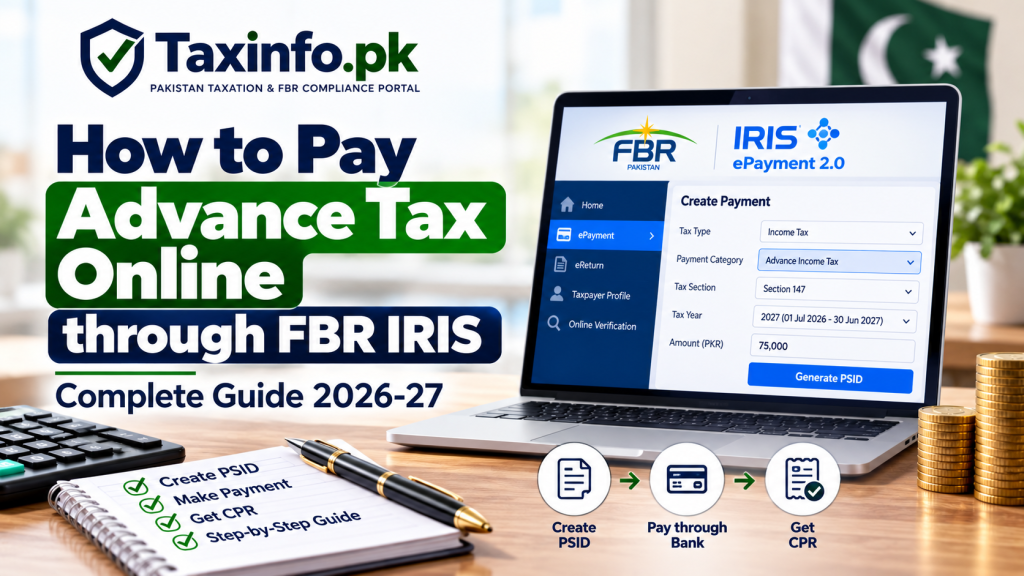
If you are required to pay quarterly advance income tax under Section 147, you can Pay Advance Tax Online through FBR’s electronic payment system by creating a Payment Slip ID (PSID) and completing the payment through an available banking channel.
FBR has introduced ePayment 2.0 within the IRIS 2.0 ecosystem. The current FBR payment portal provides a dedicated Advance Income Tax payment option, allowing taxpayers to create an electronic payment against their income tax liability.
This guide explains how to Pay Advance Tax Online in Pakistan for 2026-27, how to generate the correct PSID, select the appropriate tax year and payment section, make the payment, and verify the resulting Computerized Payment Receipt (CPR).
Table of Contents
What Is Advance Income Tax?
Advance income tax is tax paid during the tax year toward a taxpayer’s expected final income tax liability.
One of the main advance-tax mechanisms is contained in Section 147 of the Income Tax Ordinance, 2001.
Qualifying individuals, Associations of Persons (AOPs) and companies may have to pay advance tax during the year according to the applicable rules and quarterly deadlines.
Before making a payment, read our Advance Tax in Pakistan under Section 147 guide to understand who is liable, the applicable calculation formulas and quarterly due dates.
This article focuses specifically on the payment procedure.
Can You Pay Advance Tax Online in Pakistan?
Yes.
FBR’s current electronic payment system provides an Advance Income Tax category.
The official FBR ePayment Portal currently lists Income Tax payment categories including:
- Admitted Income Tax
- Advance Income Tax
- Demanded Income Tax
- WPPF/WWF
- Miscellaneous payments
This means a taxpayer who has correctly determined an advance income tax liability can generate the relevant payment through FBR’s electronic system.
What Is FBR ePayment 2.0?
FBR introduced ePayment 2.0 as part of the IRIS 2.0 system to simplify electronic tax payments.
According to FBR, the system covers major federal taxes including Income Tax, Sales Tax, Federal Excise Duty and Withholding Taxes.
FBR also states that payments can be made electronically through channels such as:
- Internet banking
- Mobile banking
- ATMs
The system is intended to reduce dependence on physical bank visits and connect the payment process more closely with IRIS.
You can read FBR’s official announcement on the New Payment Creation System – ePayment 2.0.
What Do You Need Before Paying Advance Tax?
Before generating a PSID, keep the following information ready:
- CNIC or NTN/registration number
- Correct taxpayer details
- Applicable Tax Year
- Correct advance-tax section
- Advance tax amount payable
- Access to an available banking/payment channel
Most importantly, calculate the liability before creating the payment.
The electronic payment facility is a mechanism for depositing tax. It does not mean that every amount entered by the taxpayer is automatically the legally correct Section 147 liability.
Step 1: Calculate Your Advance Tax Liability
First determine how much advance tax is actually payable.
For individuals falling within Section 147, the calculation can depend on the tax assessed for the latest tax year and qualifying tax already paid during the relevant quarter.
For AOPs and companies, the current statutory mechanism can involve turnover and the previous tax assessment.
The calculation is explained with practical examples in our Advance Tax in Pakistan – Section 147 Guide.
Do not generate a payment merely by guessing an amount.
Review:
- Previous tax assessment
- Current business position
- Applicable turnover
- Adjustable taxes already paid
- Current estimated liability
- Applicable Section 147 requirements
before proceeding.
Step 2: Open the Official FBR ePayment Portal
Open the official:
The current payment page allows taxpayers to create electronic payments for different federal taxes.
Always make sure you are using an official FBR domain before entering your CNIC, NTN or other tax information.
Step 3: Enter Your CNIC or NTN
Enter the taxpayer’s applicable registration information.
Depending on the taxpayer, this may be:
- CNIC
- NTN/FTN
- Registration number
The payment system can use this information to identify the taxpayer and display relevant particulars.
Before moving forward, check that the displayed taxpayer information belongs to the person or business whose advance tax is being paid.
Do not create a payment using another taxpayer’s registration number by mistake.
Step 4: Select Income Tax
From the available tax categories, select:
Income Tax
The current FBR payment portal separates Income Tax from other payment categories such as Sales Tax, Federal Excise and Withholding.
This distinction is important because Section 147 advance tax is an Income Tax payment.
Step 5: Select “Advance Income Tax”
Under the Income Tax payment options, select:
Advance Income Tax
Do not automatically select Admitted Income Tax simply because you are making an income tax payment.
These categories can relate to different tax obligations.
For the quarterly advance income tax liability being discussed in this guide, the relevant payment category is Advance Income Tax.
Step 6: Select the Correct Section
The payment interface requires the applicable Tax Payment Section.
For a quarterly advance tax liability arising under Section 147, make sure the payment is being created against the appropriate advance-tax provision.
This step is particularly important because Pakistan’s Income Tax Ordinance contains several provisions under which taxes described as “advance tax” may be collected.
For example, advance taxes connected with:
- Property transactions
- Cash withdrawals
- Other specified transactions
can arise under sections other than Section 147.
Therefore, do not assume that every advance income tax payment should automatically be classified as quarterly Section 147 tax.
Step 7: Select the Correct Tax Year
Select the Tax Year to which the advance tax relates.
For a taxpayer following Pakistan’s Normal Tax Year:
1 July 2026 to 30 June 2027 = Tax Year 2027
Therefore, an ordinary Section 147 quarterly advance tax payment relating to that period would generally correspond with Tax Year 2027.
If the Tax Year concept is confusing, read our Tax Year vs Financial Year in Pakistan guide before creating the PSID.
Selecting the wrong Tax Year can cause unnecessary problems when reconciling the payment later.
Step 8: Enter the Advance Tax Amount
Enter the amount of advance tax you have calculated as payable.
For example, suppose your Section 147 calculation shows:
Advance Tax Payable: Rs. 75,000
Enter:
Rs. 75,000
in the applicable amount field.
Check the figure carefully before generating the payment.
A typing error such as entering Rs. 750,000 instead of Rs. 75,000 can create a significant payment problem.
Step 9: Review the Payment Details
Before creating the payment, review all information carefully.
Check:
- Taxpayer name
- CNIC/NTN
- Tax type
- Payment category
- Tax section
- Tax Year
- Amount
This is one of the most important stages of the process.
A PSID should not be generated and paid simply because the system allows you to proceed.
Make sure the tax liability has been assigned to the correct taxpayer, year and provision.
Step 10: Generate the PSID
After confirming the details, create the payment.
The system generates a:
PSID – Payment Slip ID
The PSID acts as the payment reference for the transaction.
Keep the PSID safely because you will need it when making or tracking the payment.
The basic sequence is:
Calculate Tax → Create Payment → Generate PSID → Pay PSID → Receive CPR
What Is a PSID?
PSID stands for Payment Slip ID.
It is generated before the tax payment is completed and identifies the payment you intend to make.
A PSID is not proof that tax has already been paid.
This distinction is very important.
Generating a PSID only creates the payment reference.
The tax is treated as paid after the payment is successfully processed through the relevant payment channel and the corresponding payment record/CPR is generated.
Step 11: Pay the PSID through Your Bank
Once the PSID has been generated, use an available banking/payment channel.
FBR’s ePayment system supports electronic payment channels such as:
- Internet banking
- Mobile banking
- ATM
The exact wording of the government-payment option can vary between banking applications.
Typically, you will need to locate the relevant government/FBR tax payment facility and enter the PSID.
Before confirming the transaction, verify the payment details shown by your bank.
Check especially:
Amount payable
and:
PSID
If the displayed information does not correspond with the payment you created, do not confirm the transaction until the discrepancy is resolved.
Can Advance Tax Be Paid Without Visiting a Bank Branch?
Yes.
One of the main benefits of FBR’s newer electronic payment system is that taxpayers can use supported digital banking channels.
FBR specifically describes ePayment 2.0 as allowing payments through internet banking, ATMs and mobile banking.
Therefore, in many cases there is no need to physically visit a bank branch merely to pay an electronically generated tax liability.
Step 12: Wait for Payment Confirmation
After completing the banking transaction, the payment must be processed and confirmed.
Do not confuse:
Money deducted from bank
with:
CPR successfully available in the FBR record
Although these normally follow one another, you should verify the FBR payment record after making the payment.
Keep the bank transaction confirmation until the CPR has been verified.
Step 13: Obtain Your CPR
After successful processing, a:
CPR – Computerized Payment Receipt
is generated.
The CPR is the important evidence of the completed FBR tax payment.
In simple terms:
PSID = Payment reference before payment
CPR = Record/receipt after successful payment
FBR’s current IRIS 2.0 public portal also lists Computerized Payment Receipt (CPR) and PSID/CPR Verification among its online verification services.
For complete instructions, read our Download FBR CPR Online – Step-by-Step Guide.
How to Verify Your Advance Tax CPR
After payment, verify that the transaction has been correctly recorded.
Open the official FBR IRIS 2.0 Portal.
The public Online Verification section currently provides options relating to:
- Computerized Payment Receipt (CPR)
- PSID / CPR Verification
Locate the relevant payment and confirm that the information matches your advance-tax transaction.
Check:
- Taxpayer
- Amount
- Payment reference
- Tax Year
- Relevant tax details
Keep an electronic copy of the CPR for your records.
Why Is the CPR Important?
Your CPR can become important when preparing the annual Income Tax Return.
Advance tax paid under Section 147 is generally taken into account against the taxpayer’s tax liability for the relevant Tax Year according to the applicable provisions.
The CPR helps establish that the payment was actually made.
It can also be useful when:
- Reconciling annual tax liability
- Reviewing tax credits
- Preparing an Income Tax Return
- Checking FBR payment records
- Responding to an FBR query
- Resolving a payment discrepancy
Do not rely only on your bank statement when an official CPR is available.
What If the CPR Does Not Appear Immediately?
Do not immediately pay the same PSID a second time merely because the CPR is not visible straight away.
First:
- Confirm that your bank account was actually debited.
- Check the bank transaction status.
- Verify the PSID details.
- Check FBR’s PSID/CPR verification facility.
- Allow for payment processing where necessary.
FBR’s general income-tax guidance states that CPR information may take time to reflect in IRIS, while the newer ePayment system is designed to provide electronic confirmation of successful payments.
If the payment remains unresolved, use the relevant FBR support/payment channel rather than creating a duplicate payment without checking the first transaction.
What If You Entered the Wrong Tax Year?
This is one of the reasons the PSID should be reviewed carefully before payment.
If a payment has already been made with incorrect particulars, do not try to hide the error by simply creating another payment.
First identify:
- What information is incorrect
- Whether the CPR has already been generated
- Whether correction is required
- Whether a separate correct payment is necessary
FBR’s Knowledge Base includes a procedure for CPR correction for Income Tax, Sales Tax and FED.
The appropriate corrective action depends on the nature of the mistake.
What If the Amount on the PSID Is Wrong?
If you notice the error before making the payment, do not pay the incorrect PSID.
Create the appropriate payment with the correct details instead, subject to the functionality available in the FBR system.
If the incorrect amount has already been paid, the situation becomes a payment-record issue and should be handled through the applicable FBR correction/adjustment process.
This is why checking the amount before bank confirmation is essential.
Advance Tax Due Dates under Section 147
Payment should be made within the applicable statutory deadline.
For an individual subject to the normal Section 147 quarterly mechanism, the current statutory dates are generally:
| Quarter | Individual Due Date |
|---|---|
| September | 15 September |
| December | 15 December |
| March | 15 March |
| June | 15 June |
AOPs and companies have different statutory timing under the current Section 147 provisions.
For the complete current schedule and calculation rules, use our Advance Tax in Pakistan under Section 147 guide rather than relying on an old online calendar or previous-year schedule.
What Happens If Advance Tax Is Paid Late?
Where advance tax is legally payable but is not paid within the prescribed time, consequences can arise under the Income Tax Ordinance.
This can include default surcharge under Section 205, subject to the applicable statutory conditions and calculation.
Therefore, taxpayers should calculate the liability before the quarterly deadline rather than waiting until the final day to generate a PSID.
Allow enough time to:
- Calculate the liability
- Review tax credits
- Generate the correct PSID
- Complete payment
- Confirm the CPR
Is Advance Tax an Extra Tax?
Generally, Section 147 advance tax is a payment toward the taxpayer’s income tax liability rather than a completely separate additional tax.
For example:
Final Income Tax Liability: Rs. 500,000
Qualifying Advance Tax Paid: Rs. 350,000
Balance before other applicable adjustments: Rs. 150,000
The final position depends on the taxpayer’s actual taxable income, allowable credits, taxes deducted or collected and other applicable provisions.
Advance Tax vs Admitted Income Tax
The current FBR ePayment interface separately lists:
Admitted Income Tax
and:
Advance Income Tax
They should not automatically be treated as interchangeable.
Advance income tax can arise during the tax year under provisions such as Section 147.
Admitted tax generally relates to tax admitted as payable in connection with the taxpayer’s declared liability.
Therefore, when this guide refers to a Section 147 quarterly payment, make sure you are creating the appropriate Advance Income Tax payment rather than choosing another category merely because it appears under Income Tax.
Advance Tax vs Withholding Tax
Advance tax under Section 147 should also not be confused with tax deducted or collected at source.
Withholding tax commonly arises when another person deducts or collects tax from a payment or transaction.
Examples can include tax connected with:
- Salary
- Contracts
- Goods and services
- Banking transactions
- Property
- Other specified payments
For a detailed explanation, read our Withholding Tax in Pakistan – Complete FBR Guide.
The distinction matters when reconciling tax already paid against the Section 147 liability.
Quick Tool – Estimate Your Income Tax
Before paying advance tax, you may first need an idea of your annual income tax position.
Use the TaxInfo.pk Tax Calculators to estimate tax using the applicable rates.
Remember that an annual tax calculator does not automatically calculate your exact Section 147 quarterly payment.
Your actual advance-tax liability can depend on previous assessment, turnover, current-year estimates, qualifying tax credits and the applicable statutory formula.
Common Mistakes When Paying Advance Tax Online
1. Selecting Admitted Income Tax Instead of Advance Income Tax
Check the payment category before generating the PSID.
2. Selecting the Wrong Tax Year
For a Normal Tax Year taxpayer, 1 July 2026 to 30 June 2027 corresponds to Tax Year 2027.
3. Selecting the Wrong Tax Section
Not every tax described as advance tax is a Section 147 payment.
4. Paying an Estimated Amount Without Calculating Liability
Determine the applicable advance tax before creating the payment.
5. Entering the Wrong CNIC or NTN
Always verify the taxpayer particulars displayed by the system.
6. Treating PSID as Proof of Payment
A generated PSID does not by itself prove that tax has been deposited.
7. Not Saving the CPR
Keep the CPR after successful payment.
8. Paying Twice Because CPR Is Delayed
Verify the first payment before making another payment for the same liability.
9. Waiting Until the Last Moment
Technical issues, banking delays or incorrect payment details can become much harder to resolve close to a statutory deadline.
Simple Advance Tax Online Payment Checklist
Before payment:
✓ Calculate the correct advance-tax liability
✓ Confirm the taxpayer CNIC/NTN
✓ Select Income Tax
✓ Select Advance Income Tax
✓ Choose the correct section
✓ Choose the correct Tax Year
✓ Verify the amount
After generating the payment:
✓ Save the PSID
✓ Pay through an available banking channel
✓ Keep the bank confirmation
✓ Obtain the CPR
✓ Verify the CPR in FBR’s system
✓ Keep the CPR for annual tax reconciliation
Frequently Asked Questions
How can I Pay Advance Tax Online in Pakistan?
Use FBR’s electronic payment facility, select Income Tax and the appropriate Advance Income Tax option, enter the applicable tax details, generate a PSID, pay it through an available banking channel and verify the resulting CPR.
Can I pay Section 147 advance tax online?
Yes. FBR’s current payment system provides an Advance Income Tax payment category. Make sure the correct Section 147-related payment details and Tax Year are selected.
What is a PSID in FBR?
PSID means Payment Slip ID. It is the payment reference generated before completing the tax payment.
What is a CPR?
CPR means Computerized Payment Receipt. It is the FBR payment record generated after successful processing of the tax payment.
Is generating a PSID the same as paying tax?
No. A PSID is a payment reference. The payment must still be completed through the appropriate channel.
Can I pay FBR advance tax through mobile banking?
FBR states that its electronic payment system supports digital channels including mobile banking, internet banking and ATMs, subject to the relevant banking facility.
Which Tax Year should I select for July 2026 to June 2027?
For a taxpayer following the Normal Tax Year, the period from 1 July 2026 to 30 June 2027 corresponds to Tax Year 2027.
Should I select Advance Income Tax or Admitted Income Tax?
For the Section 147 quarterly advance-tax payment discussed in this guide, use the appropriate Advance Income Tax category and verify the applicable section. Admitted Income Tax is separately listed by FBR and should not automatically be substituted.
How do I know whether my advance tax payment was successful?
Check the banking transaction and verify the resulting CPR/payment record through FBR’s available IRIS verification facilities.
What should I do if money is deducted but CPR is not showing?
Verify the bank transaction and PSID status first and allow for processing. Do not immediately duplicate the payment. If the issue remains unresolved, use the applicable FBR payment/support procedure.
Can I correct a CPR if I selected the wrong details?
FBR provides a CPR correction procedure for Income Tax, Sales Tax and FED. The appropriate process depends on what information was entered incorrectly.
Do I need to keep the CPR after filing my return?
Yes. Keeping tax-payment records is good practice because the CPR can help with reconciliation, verification and any future FBR query.
Official FBR Resources for Online Advance Tax Payment
Taxpayers should use official FBR resources when creating and verifying tax payments.
The FBR IRIS ePayment Portal provides the current electronic payment interface, including the Advance Income Tax category.
The FBR IRIS 2.0 Portal provides login and public online verification facilities, including CPR and PSID/CPR verification.
FBR’s Pay Income Tax guidance explains the general PSID and income-tax payment process.
Taxpayers can also review FBR’s official ePayment 2.0 announcement for information about the newer integrated electronic payment system.
Final Words
The process to Pay Advance Tax Online is straightforward once the taxpayer has correctly calculated the liability.
The basic sequence is:
Calculate Advance Tax → Open FBR ePayment → Select Advance Income Tax → Select Correct Section and Tax Year → Generate PSID → Pay through Bank → Obtain CPR → Verify Payment
The most important part is accuracy.
Do not focus only on generating a PSID. Before payment, verify the taxpayer, Section, Tax Year and amount. After payment, verify and retain the CPR.
For quarterly Section 147 liability, due dates and calculation formulas, read our Advance Tax in Pakistan – Complete Section 147 Guide before creating the payment.