If excess income tax has been deducted or paid during the year, you may be entitled to claim Income Tax Refund from FBR. However, showing a refundable amount in your Income Tax Return does not by itself complete the refund process.
According to FBR, the Income Tax Return must be filed electronically, the refundable amount should be reflected in the return filed through IRIS, and a separate refund application must be submitted.
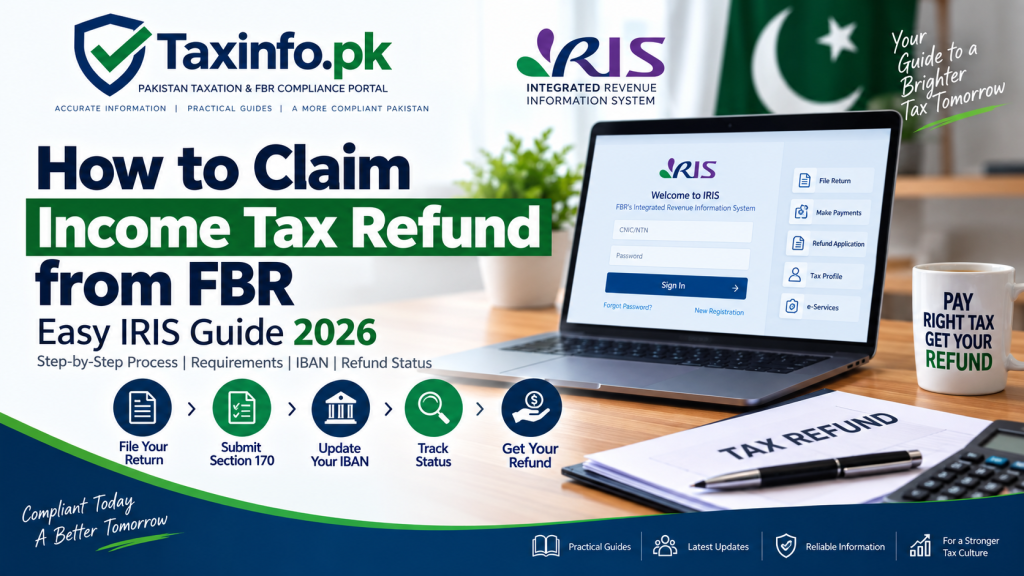
This guide explains how to claim an FBR income tax refund step by step, file an application under Section 170, check your refund status, update your bank IBAN and deal with common refund problems.
Table of Contents
What Is an Income Tax Refund?
An income tax refund arises when the amount of tax paid or deducted is more than the tax liability ultimately payable for the relevant tax year.
This can happen when:
- excessive withholding tax was deducted;
- advance tax paid exceeded the final liability;
- tax was deducted from multiple sources;
- adjustable taxes exceeded the calculated tax liability; or
- another excess payment is properly reflected in the Income Tax Return.
For example, suppose your final income tax liability is Rs.40,000 but Rs.55,000 of adjustable tax has already been deducted or paid.
The difference of Rs.15,000 may represent a refundable amount, subject to the applicable law and FBR process.
Who Can Claim Income Tax Refund from FBR?
FBR states that an income tax refund can only be claimed where the taxpayer has filed the Income Tax Return electronically.
A manual return does not entitle the taxpayer to claim the refund through this process.
The refundable amount should also be clearly reflected in the Income Tax Return filed through IRIS.
Therefore, before filing a refund application, check that:
- the relevant Income Tax Return has been filed;
- the refund amount appears correctly in the return;
- withholding and tax-payment information is accurate;
- relevant tax payments can be supported by records; and
- your IRIS profile and bank information are correct.
If you still need to complete your annual return, see our How to File Income Tax Return Online in Pakistan.
Quick Steps to Apply for Refund in IRIS:
- File your annual Income Tax Return and declare any excess tax paid/withheld.
- Go to the Refund section or submit a refund application under the relevant section of the Income Tax Ordinance.
- Track your refund status through the CPR verification and refund payment orders (RPO) issued by your tax officer.
Do You Automatically Receive a Refund After Filing Your Return?
No.
A common misunderstanding is that FBR will automatically pay the amount merely because the Income Tax Return shows a refund.
FBR’s official guidance states that a refund resulting from an Income Tax Return can be claimed by filing a separate application in IRIS.
Therefore, these are separate steps:
File Income Tax Return → Refund appears in return → File refund application → FBR processes the claim
Simply seeing a refundable amount in the return does not mean the refund application itself has been filed.
How to Claim Income Tax Refund from FBR Step by Step
The refund application is filed through FBR IRIS.
Step 1: Log in to FBR IRIS
Open the official FBR IRIS portal and sign in using your CNIC/NTN and password.
If you cannot access your account, follow our FBR IRIS Forgot Password and Account Recovery Guide.
Step 2: Confirm the Refund in Your Income Tax Return
Before filing the application, check the Income Tax Return for the relevant tax year.
Make sure the refund amount is correctly reflected.
If the refund shown in the return is incorrect because the return itself contains an error, first determine whether the return needs revision.
Our How to Revise Income Tax Return in FBR IRIS guide explains the revision process.
Step 3: Open the Refund Application
After logging into IRIS, locate the refund application facility.
The relevant application is:
Section 170 — Application for Refund of Tax Paid in Excess
Select the appropriate tax period for which the refund is being claimed.
Step 4: Select the Correct Tax Year
Choose the tax year corresponding to the Income Tax Return in which the refundable amount is reflected.
Do not select a different year merely because the payment or deduction appears in another document.
The refund application and supporting records should correspond to the correct tax period.
Step 5: Enter the Refund Application Details
Complete the information requested in the refund application.
Your explanation should clearly state why the refund is being claimed.
Depending on the circumstances, the refund may arise from:
- excessive withholding tax;
- advance tax;
- adjustable tax;
- excess tax payment; or
- another amount properly refundable under the applicable law.
Keep the explanation factual and consistent with the Income Tax Return and supporting records.
Step 6: Review the Application
Before submitting, check:
- tax year;
- refund amount;
- taxpayer details;
- reason for refund;
- relevant tax payments or deductions;
- supporting records; and
- bank/IBAN information in your IRIS profile.
Any inconsistency can make reconciliation more difficult.
Step 7: Submit the Refund Application
After checking the information, submit the application through IRIS.
Keep a copy or record of the submitted application for future reference.
How to Check FBR Income Tax Refund Status
This is an important distinction.
FBR’s official refund guidance currently states that taxpayers can check the status of a refund application by visiting the relevant Regional Tax Office (RTO).
Therefore, you should not assume that there is a public online refund-status tracker similar to parcel tracking.
After submitting the application:
- keep the submitted application/reference details;
- monitor your IRIS account for relevant correspondence, notices or orders;
- ensure your registered contact details remain accessible; and
- contact or visit the relevant RTO when you need the official status of the refund application.
Do not rely on an unofficial website claiming to provide an FBR refund-status tracker unless FBR itself identifies that service as official.
Can You Check Tax Refund Status Online in IRIS?
IRIS is the system through which the refund application is filed and where relevant taxpayer correspondence may appear.
However, FBR’s published refund guidance specifically directs taxpayers to their relevant RTO to check the status of the refund application.
For this reason, TaxInfo.pk does not recommend presenting IRIS as a guaranteed real-time refund tracker unless FBR introduces or documents such a facility.
You should nevertheless regularly check your IRIS account for any communication relating to your application.
FBR Refund Not Received — What Should You Check?
If you have already submitted the refund application but have not received the amount, check the following before assuming the refund has been rejected.
1. Was the Refund Application Actually Submitted?
A refund appearing in the Income Tax Return is not the same as filing the separate refund application.
Confirm that the Section 170 application was submitted.
2. Is the Refund Correctly Reflected in the Return?
The refundable amount should be properly reflected in the electronically filed Income Tax Return.
3. Is Your IBAN Correct?
Check your bank account information in IRIS.
FBR’s centralized refund system uses bank information provided in the taxpayer’s profile for electronic refund payments.
4. Does the Bank Account Match Your IRIS Profile?
The IBAN should correspond to the bank account whose details are maintained in the IRIS profile.
5. Is There Any Communication in IRIS?
Check for relevant correspondence, notices or orders.
6. Have You Checked With the Relevant RTO?
FBR’s official guidance directs taxpayers to the relevant RTO for checking refund-application status.
Why IBAN Is Important for FBR Income Tax Refund
FBR has established a centralized system for electronic payment of tax refunds.
For this purpose, taxpayers are advised to maintain correct bank information in their IRIS profiles.
The complete IBAN should be provided for the bank account whose details are already available in the profile.
An incorrect or missing IBAN can therefore create problems with electronic transfer of an approved refund.
If your profile information needs correction, see our How to Update FBR Registration Details in IRIS.
How to Update IBAN in FBR IRIS
Before expecting electronic refund payment, verify that your bank information is complete.
In IRIS:
- log in to your account;
- open the relevant registration/profile information;
- locate your bank account details;
- check the existing bank account;
- enter or verify the complete IBAN;
- ensure it relates to the correct bank account; and
- complete the applicable profile-update procedure.
Do not enter another person’s bank account merely to receive the refund more quickly.
The bank information should be consistent with the taxpayer’s IRIS records and applicable FBR requirements.
How Long Do You Have to Claim an Income Tax Refund?
FBR’s published guidance states that a refund resulting from an Income Tax Return can also be claimed after the return has been submitted, but the claim should be made within two years from:
- the date of filing the return (date of assessment); or
- the date on which the tax was paid,
whichever is later.
This makes it important not to leave an old refundable amount unattended indefinitely.
If your previous return shows a refund that was never claimed, check the relevant dates before proceeding.
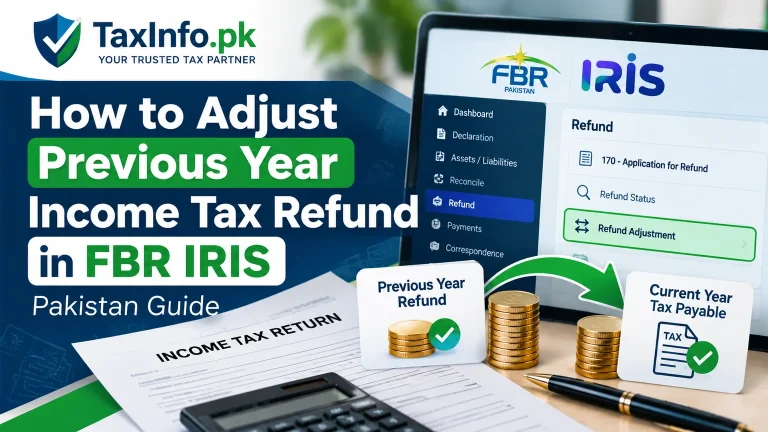
Can a Previous Year’s Refund Be Carried Forward?
An old refundable amount should not automatically be treated as though it simply becomes part of the next year’s refund.
FBR’s IRIS guidance explains that a previous year’s refund may be adjusted against tax payable for the current year, but there is no general provision for simply carrying forward the excess previous-year refund as the next year’s refund.
The remaining amount continues to relate to the previous year’s refundable position.
Therefore, keep refund records tax-year specific.
What Documents Should You Keep for an FBR Refund Claim?
The exact evidence required can depend on the nature of the refund.
Useful records may include:
- filed Income Tax Return;
- Wealth Statement where relevant;
- tax deduction certificates;
- salary tax certificate;
- bank statements;
- withholding evidence;
- Computerized Payment Receipts (CPRs);
- payment records;
- submitted Section 170 application; and
- correspondence with FBR.
If you need to retrieve proof of an FBR tax payment, see our Download FBR CPR Online Guide.
Keep records that explain where the refundable tax came from.
What If the Refund Amount in the Return Is Wrong?
Do not file a refund application for an amount you already know is incorrect.
First identify the reason.
The problem could involve:
- missing withholding tax;
- duplicated withholding;
- incorrect income;
- wrong tax calculation;
- incorrect tax payment;
- incorrect adjustable tax; or
- another error in the filed return.
Where correction requires revision of the Income Tax Return, use the appropriate IRIS procedure.
Read our FBR Income Tax Return Revision Guide before changing a previously filed return.
Common Reasons an FBR Refund Claim Can Face Problems
Refund Not Reflected in the Return
FBR states that the refund amount should be clearly reflected in the Income Tax Return.
No Separate Refund Application
A refundable return does not replace the Section 170 application.
Incorrect Bank Details
Missing or incorrect IBAN information can affect electronic payment.
Unsupported Withholding Tax
Make sure claimed deductions can be reconciled with available records.
Wrong Tax Year
The refund application should relate to the appropriate period.
Incorrect Return
If the return itself contains errors, the refund claim may also be incorrect.
Waiting Too Long
Keep the two-year claim period in mind.
Income Tax Refund and Late Return Filing
Late filing can have consequences beyond the filing itself.
FBR’s current refund guidance notes that persons filing a tax return after the specified due date are not entitled to refund during the period in which they are not included in the Active Taxpayers List (ATL), and the relevant delayed-refund compensation treatment is also affected for that period.
The exact consequences depend on the applicable law and circumstances.
If you need to understand taxpayer status, read our Active Taxpayer vs Non-Active Taxpayer in Pakistan guide.
How Long Does an FBR Income Tax Refund Take?
There is no single processing time that should be promised for every refund claim.
Processing can depend on factors such as:
- accuracy of the return;
- amount claimed;
- supporting tax records;
- verification requirements;
- correspondence with FBR;
- bank information; and
- processing by the relevant tax authorities.
Be cautious of anyone promising that every FBR refund will be paid within a fixed number of days.
For the status of an actual application, follow the official FBR route and contact the relevant RTO where necessary.
Should You File Another Refund Application If Payment Is Delayed?
Do not repeatedly submit duplicate applications merely because payment has not arrived.
First verify:
- whether the original application was submitted;
- the tax period;
- refund amount;
- IRIS correspondence;
- bank/IBAN information; and
- status through the relevant FBR office.
Duplicate or inconsistent submissions can make record reconciliation more difficult.
Income Tax Refund Checklist
Before considering your refund application complete, check:
- ✓ Income Tax Return filed electronically
- ✓ Refund correctly reflected in the return
- ✓ Section 170 refund application submitted
- ✓ Correct tax year selected
- ✓ Tax deductions/payments reconciled
- ✓ Supporting records available
- ✓ Correct bank account recorded in IRIS
- ✓ Complete IBAN provided
- ✓ IRIS correspondence checked
- ✓ Application details retained for follow-up
Frequently Asked Questions
How do I claim an Income Tax Refund from FBR?
File your Income Tax Return electronically, ensure the refundable amount is reflected in the return, and submit a separate Section 170 refund application through IRIS.
Does FBR automatically send my refund after I file my return?
Do not assume so. FBR states that a refund resulting from an Income Tax Return can be claimed by filing a separate application in IRIS.
How do I check my FBR tax refund status?
FBR’s published guidance states that you can check the status of your refund application through your relevant Regional Tax Office (RTO). You should also monitor IRIS for relevant correspondence.
Can I check my refund status online?
IRIS is used for filing the refund application and taxpayer correspondence, but FBR’s published refund guidance specifically directs taxpayers to the relevant RTO for checking application status.
Which form is used for an Income Tax Refund?
The IRIS refund application is filed under Section 170 — Application for Refund of Tax Paid in Excess.
How long do I have to claim an FBR refund?
FBR states that the refund can be claimed within two years from the date of filing the return/date of assessment or the date on which the tax was paid, whichever is later.
Do I need an IBAN for an FBR refund?
Correct bank and IBAN information in the IRIS profile is important for FBR’s electronic refund-transfer system.
What if my refund amount is incorrect?
Identify and correct the underlying return issue before knowingly claiming an incorrect amount. Where necessary, follow the applicable return-revision procedure.
Can I claim a refund if I filed a manual return?
FBR states that the refund can only be claimed where the Income Tax Return has been filed electronically.
Why have I not received my FBR refund?
Possible issues include an unsubmitted Section 170 application, incorrect refund information, bank/IBAN problems, pending processing or a matter requiring follow-up with the relevant RTO.
Can I claim an old refund?
Possibly, provided the claim is still within the applicable statutory period. Check the filing/assessment and tax-payment dates.
Can I carry last year’s refund into this year’s refund?
Do not simply add an old refund to a new year’s refund. FBR’s IRIS guidance distinguishes adjustment against current tax payable from carrying forward an old excess refund.
Final Words
Claiming an Income Tax Refund from FBR involves more than simply filing a return showing a refundable balance.
The practical process is:
File Return Electronically → Confirm Refund Amount → Submit Section 170 Application → Verify IBAN → Monitor IRIS → Follow Up With Relevant RTO When Required
The most important step is ensuring that the refund claimed is supported by the Income Tax Return and underlying tax records.
If your return contains an error, correct the underlying issue before proceeding with an incorrect refund claim.
For related guidance, read our How to Revise Income Tax Return in FBR IRIS, Download FBR CPR Online Guide and How to Update FBR Registration Details in IRIS.