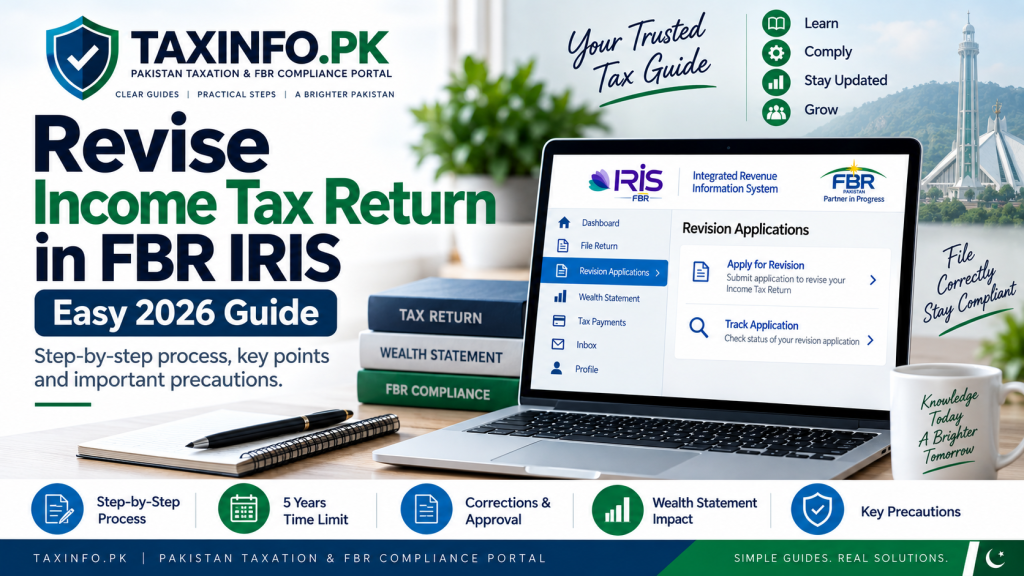
Revise Income Tax Return in FBR IRIS if you discover an omission or incorrect statement after submitting your income tax return. A filed return is not necessarily impossible to correct simply because it has already been submitted.
The Federal Board of Revenue (FBR) states that an Income Tax Return can be revised within five years of being originally filed to correct an omission or wrong statement discovered later. FBR’s current guidance also explains that a taxpayer seeking to revise a filed return has to file an application for revision in IRIS and, after approval of that application, can file the revised Income Tax Return.
This guide explains when revision may be needed, how the FBR IRIS revision process works, what you should check before making corrections, and how revision of an Income Tax Return differs from revision of a Wealth Statement.
Table of Contents
What Is a Revised Income Tax Return?
A revised Income Tax Return is a corrected version of an Income Tax Return that has already been filed with FBR.
You may discover after filing that some information was omitted, entered incorrectly or otherwise needs correction.
FBR specifically describes the revision facility as being available to correct an omission or wrong statement discovered later.
Revision should therefore be treated as a correction process rather than an opportunity to change figures without a proper basis.
Before attempting a revision, it is useful to compare your originally filed return with the records you used to prepare it.
When Should You Revise Your Income Tax Return?
There are several situations in which a taxpayer may discover a genuine error after filing.
Incorrect Income Was Reported
You may discover that salary, business income, rental income, capital gains or another source of income was entered incorrectly.
Income Was Accidentally Omitted
A source of income may have been overlooked when the original return was prepared.
For example, a taxpayer with more than one source of income may have included one source but accidentally omitted another.
Tax Information Was Entered Incorrectly
You may discover an error in information relating to tax already deducted, collected or paid.
This should be checked carefully against the relevant certificates, CPRs and other available records before changing the filed figures.
Other Information Requires Correction
An omission or incorrect statement elsewhere in the return may also create a need for revision.
The important principle is simple:
Identify the original error → establish the correct information → verify it from supporting records → then start the revision process.
If you are still preparing your original return rather than correcting an already-filed one, see the TaxInfo.pk guide to file an Income Tax Return online through FBR IRIS.
How Long Do You Have to Revise an Income Tax Return?
FBR currently states that an Income Tax Return can be revised within five (5) years of being originally filed for correction of an omission or wrong statement discovered later.
This five-year period is important.
The fact that an old return is visible in your IRIS account should not be taken to mean that it can automatically be revised at any time.
Taxpayers should also distinguish between revising the Income Tax Return and revising the Wealth Statement, because FBR describes different procedures for the two documents.
How to Revise Income Tax Return in FBR IRIS
The FBR process involves identifying the relevant return, submitting the applicable revision application in IRIS and then proceeding with the revised return following the applicable approval process.
Step 1: Log In to FBR IRIS
Start by opening the official FBR IRIS portal and signing in to your taxpayer account.
If you have forgotten your password or cannot access your registered contact details, use the TaxInfo.pk FBR IRIS Login, Forgot Password & Account Recovery Guide before starting the revision process.
Do not create a new taxpayer registration simply because you cannot access an existing IRIS account.
Step 2: Identify the Correct Tax Year
Before starting the revision process, identify exactly which filed return contains the mistake.
Confirm:
- the correct Tax Year;
- the return that was originally filed;
- the information that is incorrect or missing;
- the correct figure or information; and
- the documents supporting the correction.
This step is particularly important if several years of returns are visible in your IRIS account.
Revising the wrong Tax Year can create another problem instead of correcting the original one.
Step 3: Start the Revision Application
FBR’s current public guidance states that a taxpayer seeking to revise an Income Tax Return has to file an application for revision in IRIS.
FBR’s published IRIS FAQ describes the revision-application process under the Revision Applications area, where the taxpayer selects the relevant period/Tax Year and provides the reasons for revision.
Follow the options currently displayed in your IRIS account, because FBR may update menu names, layouts and portal interfaces over time.
Step 4: Select the Relevant Tax Period
Select the Tax Year corresponding to the return you want to correct.
Double-check this selection before proceeding.
For example, if the error relates to your Tax Year 2026 return, make sure you are working with the Tax Year 2026 filing rather than a previous year’s return.
Step 5: Explain the Reason for Revision
FBR’s IRIS FAQ indicates that the taxpayer provides the reasons for revision as part of the revision application.
The explanation should correspond with the genuine correction you need to make.
For example, the reason may relate to an omitted income source, an incorrect amount or another wrong statement discovered after filing.
Avoid vague or unsupported changes.
Before proceeding, it can help to prepare a simple comparison:
| Item | Originally Filed | Correct Information |
|---|---|---|
| Relevant income/figure | Original amount | Correct amount |
| Supporting record | Previously used record | Verified record |
| Reason | Error/omission | Correction required |
The exact information will naturally depend on your particular case.
Step 6: Submit the Revision Application
Once the relevant Tax Year and reason for revision have been entered correctly, review the application and submit it through IRIS.
FBR states that after approval of the revision application, the taxpayer can file a revised Income Tax Return in IRIS.
FBR’s IRIS FAQ also explains that the relevant Commissioner’s order on the revision application becomes available in the taxpayer’s IRIS Inbox.
Do not assume that submitting the application itself means that the Income Tax Return has already been revised.
The revision application and the revised return are separate stages in the process described by FBR.
Step 7: File the Revised Income Tax Return
After the applicable approval, proceed to the revised Income Tax Return in IRIS.
FBR’s IRIS FAQ explains that the taxpayer can then access the revised Return of Income, select the relevant period and edit the information that requires correction before submitting the revised return.
Carefully correct the affected fields.
Do not focus only on the single figure that originally caught your attention. A change in one amount can potentially affect calculations or information elsewhere in the return.
Step 8: Review Tax Already Deducted or Paid
Check the tax information in the revised return carefully.
Depending on the nature of the correction, review relevant amounts such as:
- tax deducted at source;
- advance tax;
- tax already paid;
- tax credits or other applicable adjustments;
- CPR/payment information; and
- remaining tax payable.
Do not claim a tax amount merely because it appears in a bank transaction or personal record. Make sure the amount actually relates to you and to the relevant Tax Year and tax liability.
Step 9: Check the Wealth Statement Where Applicable
For taxpayers required to complete a Wealth Statement, a correction to income or other financial information may also require careful review of the wealth information.
TaxInfo.pk’s existing return-filing guide explains that the Return of Income and Wealth Statement form important parts of the online filing process and that the Wealth Statement must reconcile correctly where applicable.
A change in income can potentially affect the relationship between:
Opening Wealth + Income – Expenses/Outflows = Closing Wealth
The precise reconciliation depends on the taxpayer’s circumstances and the information reported in IRIS.
Do not change Wealth Statement figures merely to force the statement to reconcile. The figures should reflect the taxpayer’s actual financial information.
Step 10: Check Whether the Revision Changes Tax Payable
A revised return can potentially change the taxpayer’s final tax position.
For example, correcting previously omitted taxable income may result in additional tax becoming payable.
On the other hand, another genuine correction could affect tax already accounted for or the taxpayer’s refund position.
Therefore, compare the result of the revised return with the originally filed return before submitting it.
Step 11: Review the Entire Revised Return
Before pressing Submit, perform a final review.
Check:
- Tax Year
- CNIC/NTN
- Income from all applicable sources
- Tax deducted or collected
- Tax already paid
- Exempt or separately treated income, where applicable
- Relevant deductions or credits
- Wealth Statement, where applicable
- Tax payable
- Refund position, if applicable
- Reason for revision
- Supporting records
The purpose of revision is to correct the original return—not to introduce another mistake.
Step 12: Submit and Keep a Copy
Once you are satisfied that the corrected return accurately reflects the information that should have been reported, submit the revised Income Tax Return through IRIS.
Retain copies of:
- the original filed return;
- revision application;
- relevant IRIS order/approval;
- revised return;
- calculations;
- tax certificates;
- payment records/CPRs; and
- documents supporting the correction.
These records can be important if FBR later requires clarification regarding the figures reported.
Revised Income Tax Return vs Revised Wealth Statement
An Income Tax Return and a Wealth Statement are related, but FBR does not describe their revision procedures as identical.
Revising an Income Tax Return
FBR states that an Income Tax Return can be revised within five years of original filing to correct an omission or wrong statement discovered later.
FBR’s current public guidance says an application for revision is filed in IRIS and, after approval, a revised Income Tax Return can be filed.
Revising a Wealth Statement
FBR separately states that a Wealth Statement can be revised in IRIS before receipt of a notice under subsection (9) of section 122 without the need to file an application seeking approval for revision.
This distinction is important.
Do not assume that the procedure applicable to revising your Income Tax Return automatically applies in exactly the same way to your Wealth Statement.
Can a Revised Return Increase Your Tax Payable?
Yes, depending on the correction.
Suppose a taxpayer accidentally omitted taxable income from the original return. Adding that income through a genuine revision may change taxable income and consequently the amount of tax payable.
A correction could also affect other parts of the tax calculation.
The result depends on the nature of the original mistake and the applicable tax treatment.
If the revision results in additional tax payable, make sure the payment is handled through the applicable FBR payment procedure and retain the relevant payment record.
Can Revision Result in a Tax Refund?
A genuine correction can potentially affect the taxpayer’s refund position as well.
However, filing a revised return and obtaining an actual tax refund are not necessarily the same process.
A taxpayer should not artificially revise figures merely to create a refund claim.
Any refund position should arise from accurate tax information and should be supported by the applicable records.
If a genuine revision results in excess tax paid or deducted, the taxpayer may need to follow FBR’s separate refund-claim procedure. A refundable amount appearing in the revised return does not by itself complete the refund process. For the complete procedure, eligibility requirements, Section 170 application, IBAN requirements and important precautions, see our How to Claim Income Tax Refund from FBR – Easy IRIS Guide 2026.
Does Revising a Return Mean You Committed an Offence?
The mere fact that a return is being revised does not, by itself, establish that an offence has occurred.
FBR specifically provides a mechanism for correcting an omission or wrong statement discovered after filing.
However, the circumstances matter.
A genuine correction supported by records is different from deliberately entering false information or making unsupported claims.
Where the proposed revision involves a substantial amount, complicated transaction, FBR notice, audit or legal dispute, obtaining advice from a qualified tax professional may be appropriate.
What If You Discover the Error Before Filing?
If the return is still a draft and has not yet been submitted, carefully correct the information before filing rather than relying on the post-filing revision process.
This is why reviewing the return before submission is so important.
The TaxInfo.pk Income Tax Return Filing Guide for Pakistan explains the original filing process and the checks taxpayers should perform before submitting their return.
What If You Cannot Log In to IRIS?
A return cannot be revised if you cannot access the relevant taxpayer account.
If you have forgotten your password, lost access to your registered mobile/email or are experiencing an account-access issue, first determine which IRIS recovery method applies.
See our FBR IRIS Login, Forgot Password & Account Recovery Guide for the available options.
Do not create another NTN merely because you have forgotten the password to an existing IRIS account.
Common Mistakes to Avoid When Revising a Return
Revising the Wrong Tax Year
Always confirm the Tax Year before starting the revision process.
Changing Figures Without Evidence
Corrections should be based on accurate records rather than estimates made merely to change the outcome of the return.
Ignoring the Wealth Statement
If the corrected information affects wealth reconciliation, review the Wealth Statement where applicable.
Assuming the Application Is the Revised Return
FBR describes the revision application and subsequent filing of the revised return as separate stages.
Ignoring Additional Tax
If the correction changes the tax liability, review whether additional payment is required.
Making Unrelated Changes
Focus on correcting genuine omissions and incorrect statements. Avoid changing unrelated information without a proper reason.
Failing to Retain Records
Keep the original return, revised return and documents supporting the correction.
Practical Example
Suppose Ali files his Tax Year 2026 Income Tax Return and later discovers that one source of taxable income was accidentally omitted.
He should not simply ignore the error because the return has already been submitted.
Instead, he should:
1. Verify the omitted income from his records.
2. Confirm that Tax Year 2026 is the return requiring correction.
3. Start the applicable revision application in IRIS.
4. Explain the genuine reason for revision.
5. Follow the applicable approval process.
6. Correct the income in the revised return.
7. Review any resulting effect on tax and wealth information.
8. Submit the revised return and retain the supporting records.
The exact tax effect will depend on Ali’s overall circumstances.
Frequently Asked Questions
Can I Revise Income Tax Return in FBR IRIS?
Yes. FBR states that an Income Tax Return can be revised to correct an omission or wrong statement discovered later, subject to the applicable IRIS revision process.
How Long Can I Revise My Income Tax Return?
FBR’s current guidance states that an Income Tax Return can be revised within five years of being originally filed.
Do I Need Approval to Revise My Income Tax Return?
FBR’s public guidance states that the taxpayer files an application for revision in IRIS and, after approval of the application, can file the revised Income Tax Return.
Where Do I Apply for Revision?
FBR’s IRIS FAQ describes a Revision Applications area for the Return of Income, where the relevant period is selected and reasons for revision are provided.
Do I Need to Give a Reason for Revising My Return?
FBR’s IRIS FAQ instructs taxpayers to enter the reasons for revision when submitting the revision application.
Is Revising a Wealth Statement the Same as Revising an Income Tax Return?
No. FBR separately states that a Wealth Statement can be revised in IRIS before receipt of a notice under section 122(9) without an application seeking approval for revision.
Can a Revised Return Increase My Tax?
Yes. If the corrected information changes taxable income or another part of the tax calculation, the resulting tax liability may also change.
Can I Revise a Return Just to Become a Filer?
Revision is intended to correct an omission or wrong statement in an already-filed return. If your objective is to understand filer status, see TaxInfo.pk’s How to Become a Filer in Pakistan guide.
What If I Forgot My IRIS Password?
Use the applicable IRIS password-reset or account-recovery process. Our FBR IRIS Account Recovery Guide explains the difference between Forgot Password and Account Recovery.
Final Words
Knowing how to Revise Income Tax Return in FBR IRIS is important when a genuine omission or incorrect statement is discovered after filing.
The process can be summarized as:
Identify the error → verify the correct information → submit the revision application → follow the applicable approval process → correct the return → review tax and wealth information → submit the revised return → retain your records.
FBR currently states that an Income Tax Return can be revised within five years of original filing to correct an omission or wrong statement discovered later.
The safest approach is still to review a return thoroughly before its original submission. But when a genuine mistake is discovered afterwards, the FBR revision mechanism provides a formal route for correcting it.
Related TaxInfo.pk Guides
How to File Income Tax Return Online in Pakistan (2026) – FBR IRIS Guide
FBR IRIS Login – Forgot Password & Account Recovery Guide
How to Become a Filer in Pakistan (2026) – Complete FBR Guide
NTN Registration Online in Pakistan (2026) – FBR IRIS Guide
Official FBR Reference
FBR – Revising Income Tax Return
Disclaimer
This article is for general informational and educational purposes only and should not be considered professional tax or legal advice. Tax laws, rules, IRIS procedures and FBR requirements may change from time to time. Although TaxInfo.pk aims to provide accurate and updated information, taxpayers should verify the latest requirements from the Federal Board of Revenue (FBR) or consult a qualified tax professional where necessary.